Sora & Sora Watermark Remover PRO
“Probably the best remover on the market”
Remove Sora watermarks from videos with top-quality results — clean, trace-free output. Automatic watermark detection, batch processing and 4K upscaling.
Before
After
Before
After
Before
After
Before
After
Before
After
Before
After
Before
After
Before
After
How to Remove Sora Watermarks with Best Quality?
Watch this quick tutorial to learn how to remove watermarks from your Sora videos
Choose Your Plan
Select the perfect plan for your watermark removal needs
Lite
Growth
Ultra
Why Upgrade to Sora Watermark Remover PRO?
Professional-grade AI watermark removal for Sora videos
Sora Watermark Remover PRO is an advanced AI-powered tool designed to remove watermarks from OpenAI Sora 2 generated videos. Our PRO version leverages state-of-the-art AI reconstruction of each frame to entirely eliminate watermarks, while preserving the quality of the original video, contrary to the use of basic watermark removers.
Our AI model will reconstruct the missing pixels in a completely natural manner by analyzing each frame in order to get rid of Sora text overlays, semi-transparent logos or any other type of watermark. Without blur, without artifacts, without any reduction of quality; just a clear and professional result.
If you need watermark-free Sora videos for professional projects, social media, advertising campaigns or deliverables for your customers, our AI-powered watermark remover is the ideal choice, perfect for content creators, video editors, marketers and filmmakers.
Sora-Optimized AI Reconstruction Technology
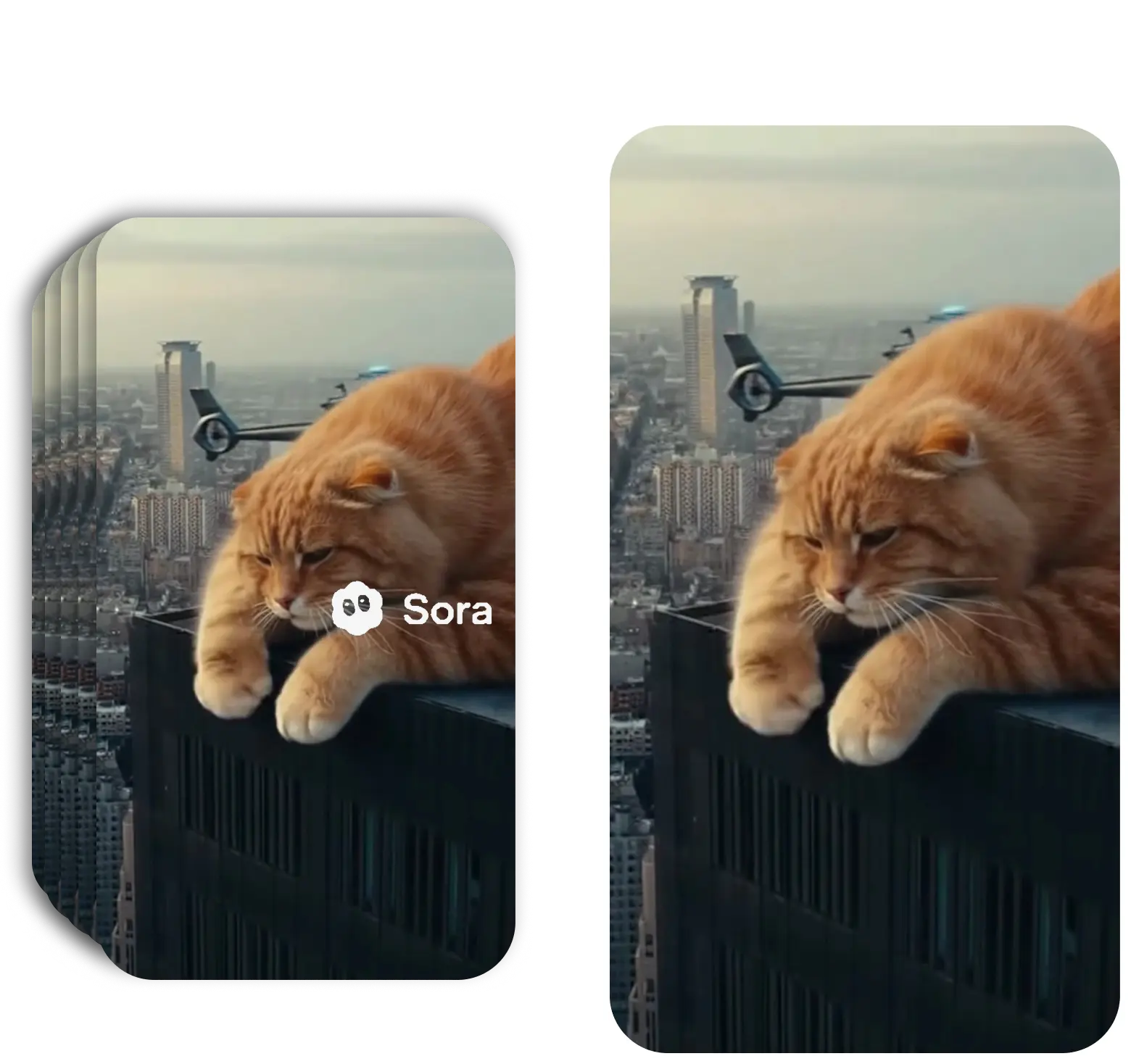
We don't simply blur or crop — our AI is specifically trained on Sora video patterns and intelligently reconstructs the pixels behind the Sora watermark. The algorithm rebuilds the scene based on surrounding content, movement patterns, and temporal consistency across frames, restoring the original Sora video as if the watermark was never there.
Because it's frame-accurate, our Sora watermark remover tracks lighting changes, camera pans, and object movements frame by frame, maintaining complete continuity. The result is flawless removal without any ghosting, blur, or artifacts — preserving the natural, organic look of your Sora-generated content.
Bulk Sora Watermark Remover — Process Multiple Videos
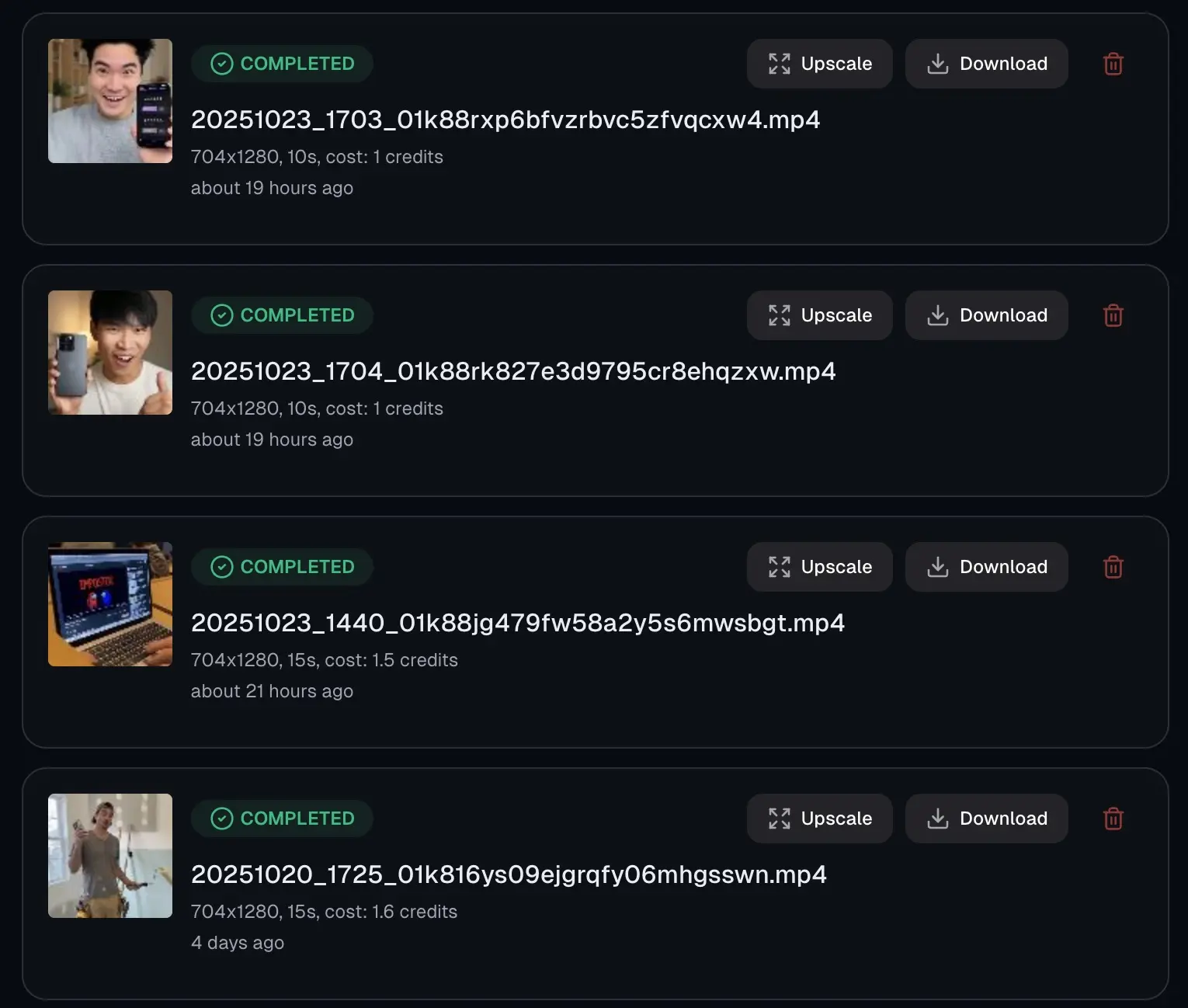
Save hours of editing with our bulk Sora watermark remover — upload multiple Sora videos at once and our AI will automatically detect and remove watermarks from all clips simultaneously. Process up to 30 Sora videos in a single batch task, depending on your plan.
The batch processor maintains the same high quality across every Sora video, making it an excellent choice for creators working on large projects, Sora video series, or client deliverables. Each file is processed individually with the same Sora-optimized AI reconstruction, regardless of how many files are in the queue.
Automatic Sora Watermark Detection
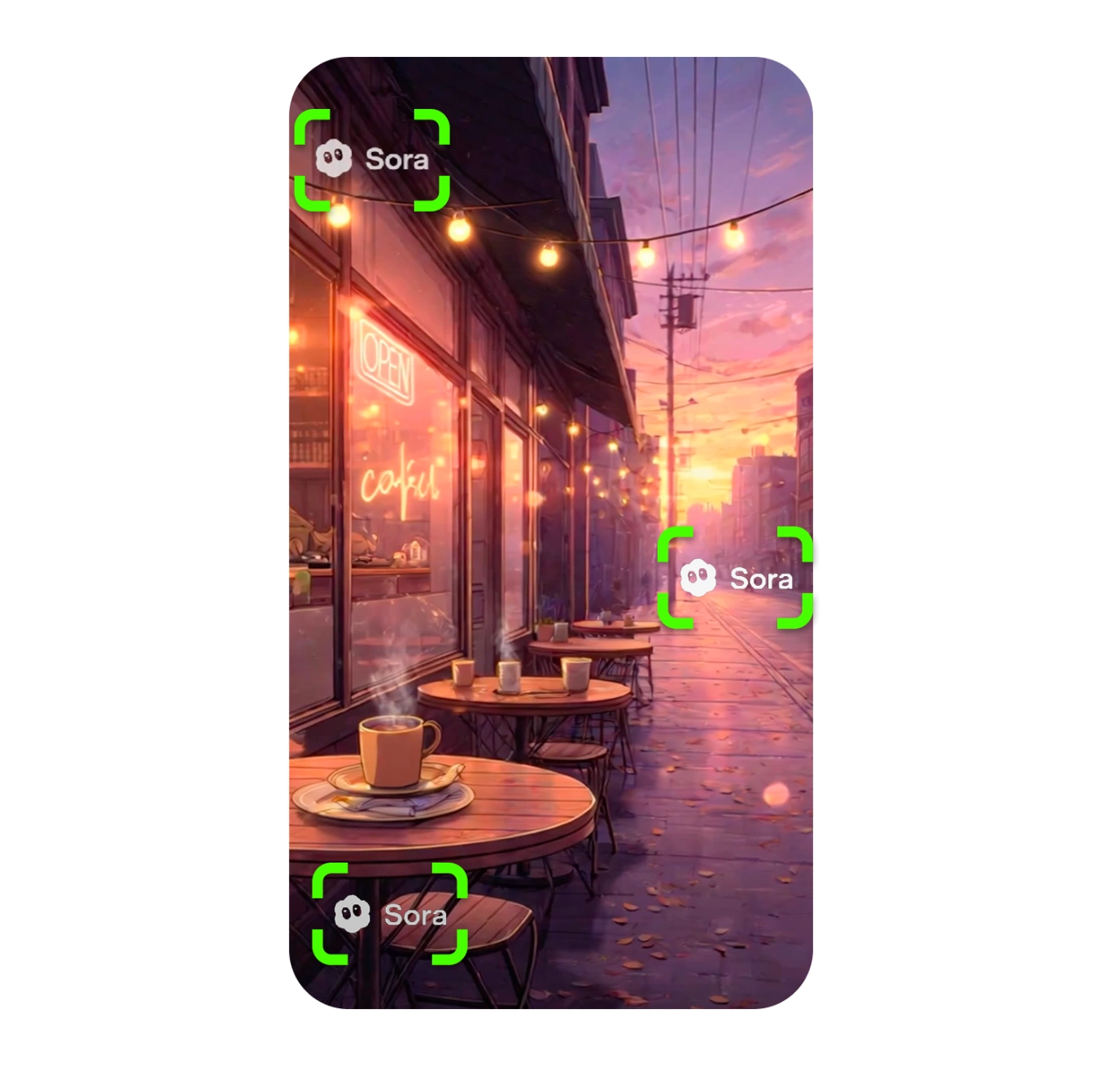
Our AI detects Sora watermarks automatically without any manual input. Whether it's the classic "Sora" text overlay, the OpenAI logo, or a semi-transparent Sora branding element, the detection algorithm identifies its exact position, size, and opacity the moment you upload the video.
Sora watermark detection works with any placement — corner logo, center text, or edge timestamp. It supports all video resolutions, aspect ratios, and both Sora 1 and Sora watermarks, so no matter which version of Sora generated your video or what aspect ratio it is, the removal will be clean and precise.
Upscale Sora Videos to 4K After Removing Watermarks
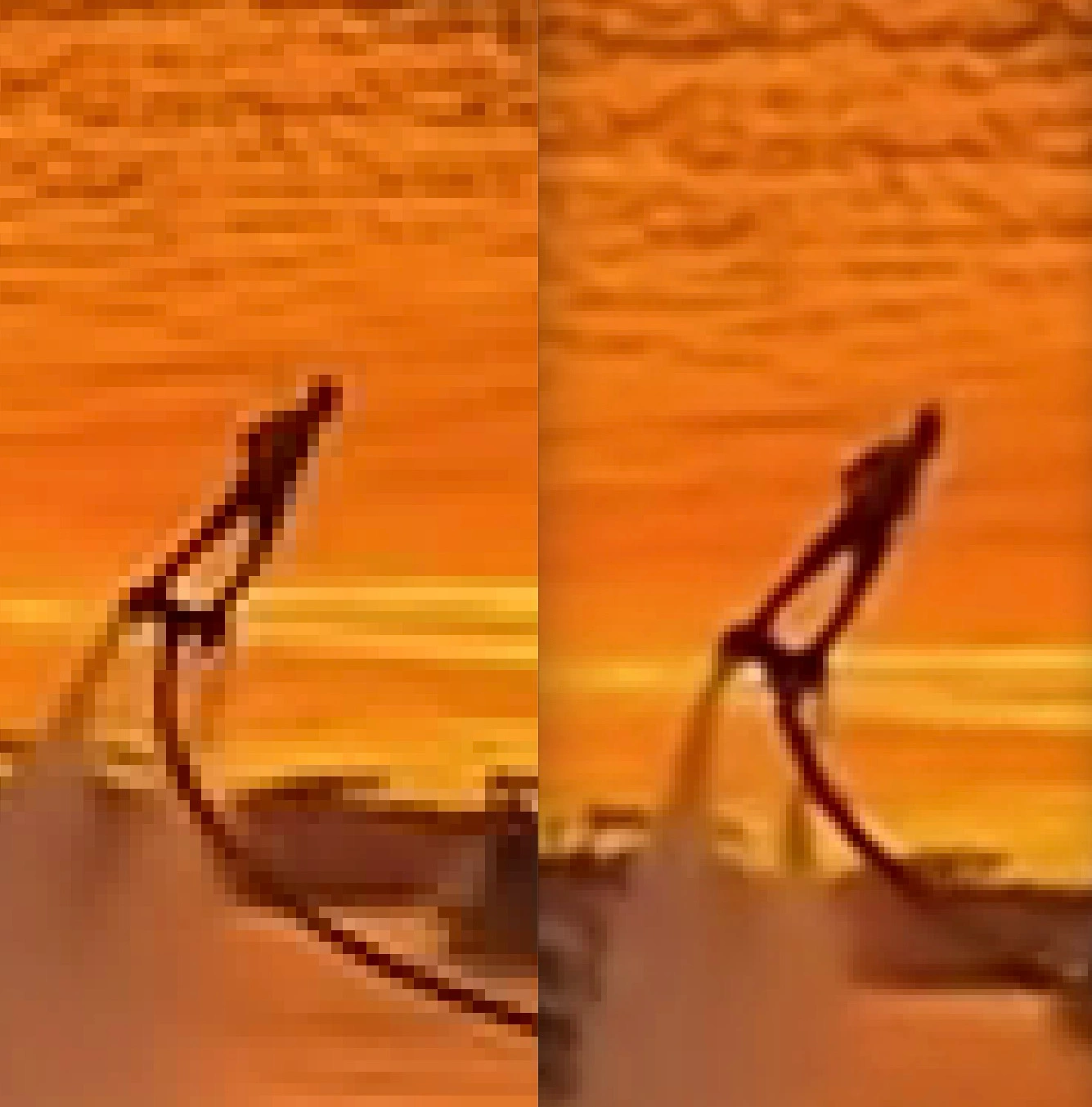
Why just remove a Sora watermark when you can upscale your Sora video to 4K at the same time? Our PRO plan includes AI-powered 4K upscaling that enhances your Sora videos while removing watermarks. Take 1080p or lower resolution Sora content and turn it into stunning 4K quality with less noise and sharper detail.
The upscale AI preserves the natural, smooth look of Sora-generated content — no over-sharpening, no artificial edge enhancement. Perfect for delivering Sora content to clients, running social media ad campaigns, or any use case where you need professional 4K quality without pixelization.
Remove Sora Watermarks Without Blur or Quality Loss
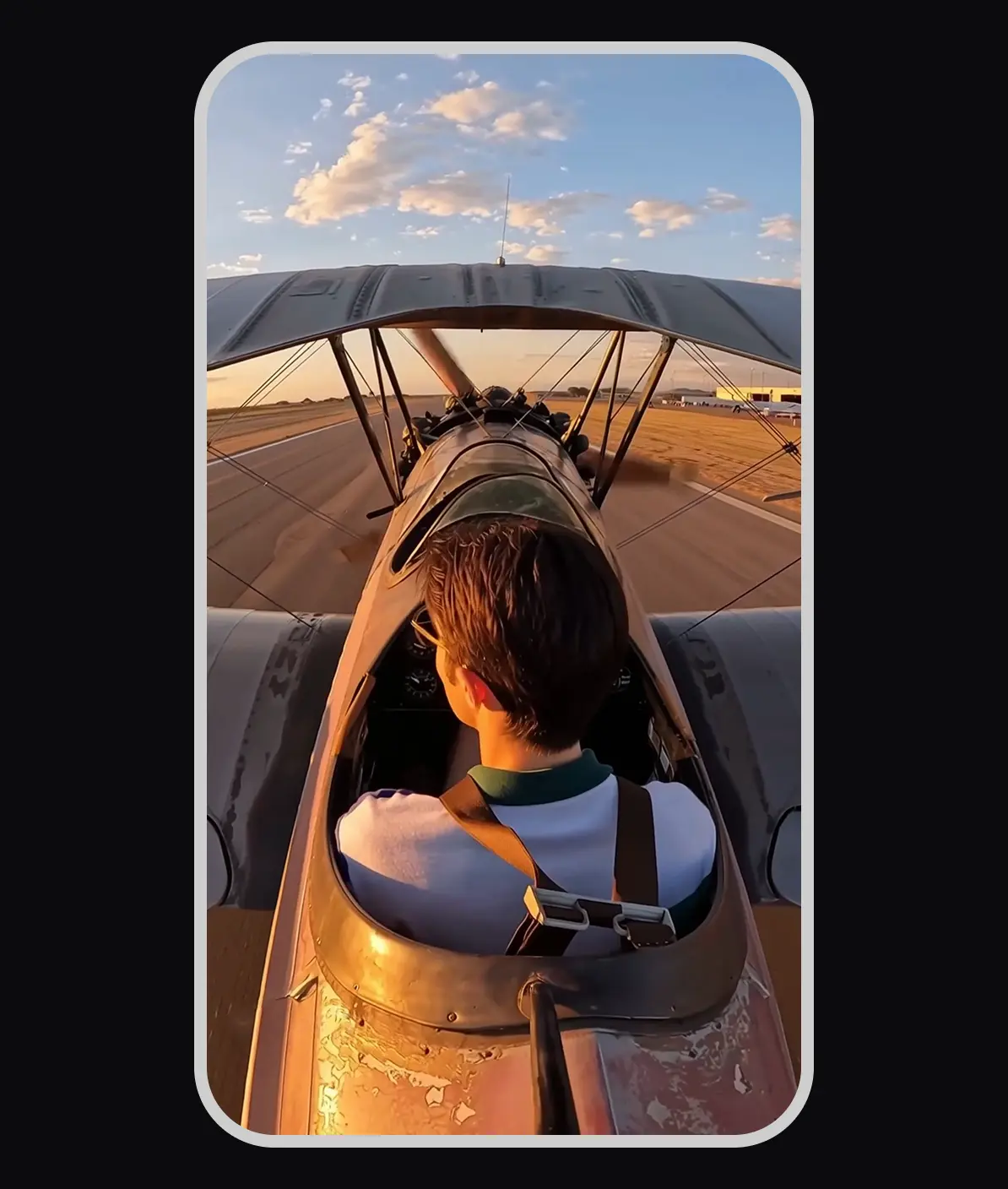
Unlike basic watermark removers that blur or compress the Sora watermark area, Sora Watermark Remover PRO uses AI reconstruction to rebuild the content underneath — completely clean, without blur, without artifacts. The original resolution, frame rate, bitrate, and colour space of your Sora video are fully preserved.
We keep the original codec settings intact and avoid unnecessary re-encoding, so your Sora videos maintain their full professional quality whether you're working with 24fps cinematic Sora content or 60fps smooth motion. You always get a 100% quality output — completely Sora watermark-free.
Perfect for Content Creators and Professionals
From social media to enterprise video production
Content Creators & Influencers: Generate Sora AI videos, remove branding and create watermark-free videos for your fans. You can then post your videos across platforms like YouTube, TikTok or Instagram reels.
Video Editors & Filmmakers: Use a watermark-free Sora AI video generator to clean footage. This option helps you create videos for client projects, commercial work or film production.
Marketing & Advertising Teams: Remove the Sora watermark on videos you post of advertising campaigns, product demos, explainer videos and promotional content. By using a free Sora AI watermark remover, you can ensure consistent branding without third-party watermarks.
Agencies & Production Studios: Complete many different client projects; you can batch-process dozens of Sora AI videos at once to eliminate their watermarks and maintain consistent quality across deliverables.
How to Remove Sora Watermark — Step by Step
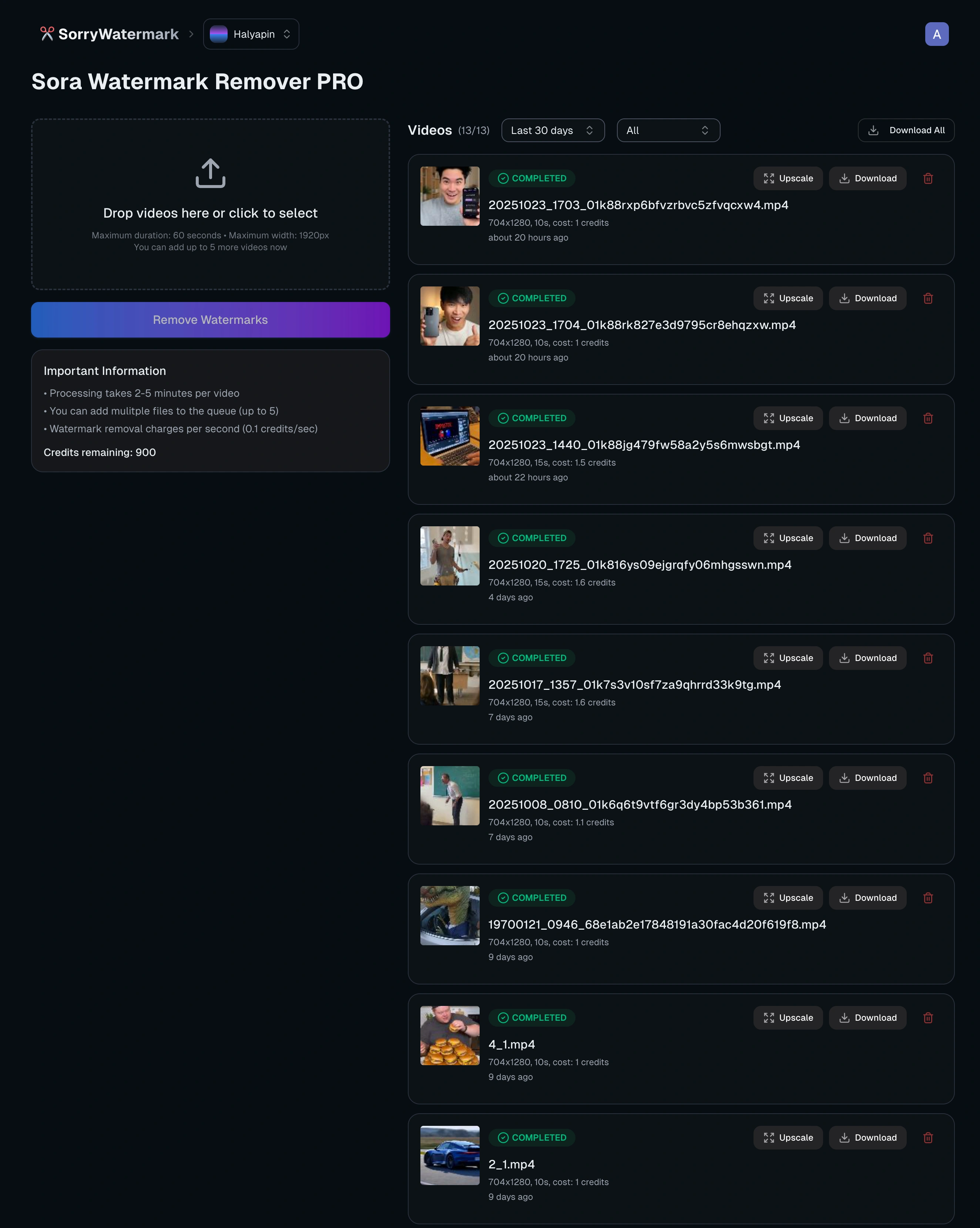
Step 1: Upload Your Sora Video — Drag and drop the Sora video you want to clean. Upload single or multiple Sora video files. We accept MP4, MOV, WebM and other popular formats.
Step 2: Automatic Sora Watermark Detection — Our AI instantly detects the Sora watermark location and begins frame-by-frame reconstruction, analyzing motion, lighting, and textures to cleanly rebuild the pixels underneath — no blur, no artifacts.
Step 3: Preview & Download — Once processing is complete (usually within minutes), preview your watermark-free Sora video. Download in the original quality or with 4K upscaling applied.
Why Choose Sora Watermark Remover PRO?
Best Sora Watermark Removal Quality: Our AI produces far better results than basic blur-based removers. Trained specifically on Sora-generated content, it accurately detects and removes Sora 1 and Sora watermarks — no artifacts, no quality loss, no compromises.
Sora-Specific AI: We've trained our model specifically on Sora videos, meaning more accurate watermark detection, cleaner removal, and more natural-looking results compared to any generic video watermark remover.
Bulk Sora Processing: Most Sora videos are processed within minutes. Batch jobs run in parallel so even a 30-clip Sora project processes in near-real time.
Professional Features: 4K upscaling, up to 30 Sora videos per batch, automatic Sora watermark detection, and enterprise-grade quality control — everything you need for professional Sora video production.
Frequently Asked Questions
How to remove Sora watermarks — everything you need to know
How to remove Sora watermark from video?
To remove a Sora watermark, upload your Sora-generated video to Sora Watermark Remover PRO. Our AI automatically detects the Sora watermark location, size, and opacity, then reconstructs the pixels frame by frame — no manual selection needed. Once processed (usually within minutes), download your clean, Sora-watermark-free video.
Is there a free Sora watermark remover?
We offer a free version of our Sora watermark remover — you can try it at the link above. For best-quality results, batch processing, and 4K upscaling, our PRO plans start from $5.99/month. You can also see examples of the PRO quality in the video comparison section above.
Does it work on Sora watermarks?
Yes! Sora Watermark Remover PRO fully supports both Sora 1 and Sora watermarks. Our AI model has been trained on both versions, accurately detecting and removing the Sora watermark patterns regardless of video resolution, aspect ratio, or watermark placement.
How to remove Sora watermark without blur?
Most tools blur or crop the Sora watermark area, leaving visible artifacts. Sora Watermark Remover PRO uses frame-by-frame AI reconstruction to rebuild the original content underneath the watermark — so the result is completely clean, with no blur and no degradation of the surrounding area.
Do I need to manually select the Sora watermark location?
No manual work required! Our AI automatically detects Sora watermarks upon upload, identifying the exact location, size, and opacity instantly — for both Sora 1 and Sora 2.
How long does it take to process a Sora video?
Most Sora videos are processed within a couple of minutes thanks to our cloud-based infrastructure. The exact time depends on video length, resolution, and current server load. Batch jobs run in parallel, so processing multiple Sora videos doesn't significantly increase wait times.
How many Sora videos can I process at once?
The number of simultaneous videos depends on your plan. Lite supports 3 batch tasks, Growth supports 10, and Ultra supports up to 30 batch tasks. Each batch task applies the same high-quality Sora-optimized AI reconstruction across all videos.
What Sora video orientations and durations are supported?
We support all Sora videos — both horizontal and vertical orientations, any duration from a few seconds to several minutes. We charge by the second. You can upload single Sora videos or multiple files for batch processing.
Will removing the Sora watermark reduce video quality?
No. Unlike basic watermark removers that compress or blur your video, Sora Watermark Remover PRO maintains the original resolution, frame rate, bitrate, and color space. We preserve original codec settings and avoid unnecessary re-encoding, ensuring zero quality loss.
Can I upscale Sora videos to 4K?
Yes! PRO plans include AI-powered 4K upscaling. Convert 1080p or lower resolution Sora videos to stunning 4K quality while removing watermarks. The upscaling AI preserves the natural look of Sora-generated content without artificial over-sharpening.
Is my Sora video data secure and private?
Absolutely. Your Sora videos are processed securely on our servers and automatically deleted after download. We never share or use your content for any purpose other than watermark removal.
Remove Sora Watermarks with Best Quality
Start using Sora Watermark Remover PRO — no blur, no quality loss, batch processing and 4K upscaling included.
Try for FreeLast updated: 7/16/2026 •✓ Compatible with Sora 2 • ✓ Best quality output • ✓ Batch processing available
Related Tools
Explore our complete suite of AI video tools
Free Sora Watermark Remover
FREERemove Sora and Sora watermarks from AI videos
AI Video Prompt Generator
Structured AI video prompts for Sora 2—styles, cinematography, templates, exports
Sora Video Generator
Generate AI videos with Sora technology
Video Watermark Remover
Remove watermarks from full videos online free
Veo Watermark Remover
Remove Google Veo logos and visible Veo watermarks
TikTok Watermark Remover Online Free
Remove TikTok logos and moving watermarks without cropping
YouTube Shorts Watermark Remover
Clean YouTube logos, Shorts marks, and channel badges
Instagram Reels Watermark Remover
Remove Reels logos, usernames, and repost overlays
Sora Watermark Remover
Dedicated remover for rotating Sora watermark patterns
Kling Video Watermark Remover
Remove Kling video logos and visible watermarks
Remove Logo from Video
Remove logos, timestamps, and text overlays from video
Remove Captions from Video
Remove burned-in captions, subtitles, and text overlays
How to Remove Watermark from Video
Free guide to remove video watermarks without blur
Remove Watermark Without Blur
AI reconstruction method explained with step-by-step tips
How to Remove Sora Watermark
Guide for Sora and Sora watermark removal
How to Remove Veo Watermark
Guide for Google Veo and Flow videos
Omni Watermark Remover
Remove Omni AI video logos and watermarks
How to Remove Omni Watermark
Step-by-step guide for Omni videos
Add Watermark to Video
Overlay a logo or text watermark on any video online