Google Flow Watermark Remover Free
Remove the Google Flow watermark from your AI-generated videos online for free in 2026. Flow uses Google's Veo model — AI auto-detects the Veo logo, no blur, no sign-up, HD export.
Desktop recommended — not all features may work on mobile.
Drop Your Video Here
or click to browse files
How to Use Google Flow Watermark Remover
A simple workflow for clean, watermark-free output
Upload Your Video
Upload the source video in MP4, MOV, or WebM. Use the original export for the cleanest result.
Mark or Detect the Watermark
Use the preset or draw a custom mask around the logo, text, or watermark area.
Export a Clean Video
Preview the result and export a watermark-free video for social posts, ads, or client work.
What Is the Google Flow Watermark?

Google Flow is Google's AI creative suite for generating videos with the Veo model. Every video you export from Flow includes a Veo watermark — a rotating 'Veo' logo that shifts between corner positions throughout the clip. It's the same watermark found on all Veo-generated content.
The watermark is semi-transparent and moves to different positions every few seconds, making it impossible to remove by cropping alone. AI reconstruction is the only method that removes it cleanly — our tool rebuilds the pixels underneath each watermark position frame by frame.
Remove Google Flow Watermark in 3 Steps
1. Export from Google Flow — Generate and export your video from Flow in the highest quality available (MP4 recommended).
2. Upload here — Drag and drop your Flow video. Our AI automatically identifies the Veo watermark pattern and removes it frame by frame across the full video.
3. Download clean video — Preview the result and download your watermark-free Flow video in HD. For 4K export and batch processing, upgrade to PRO.
Why Creators Remove the Flow Watermark
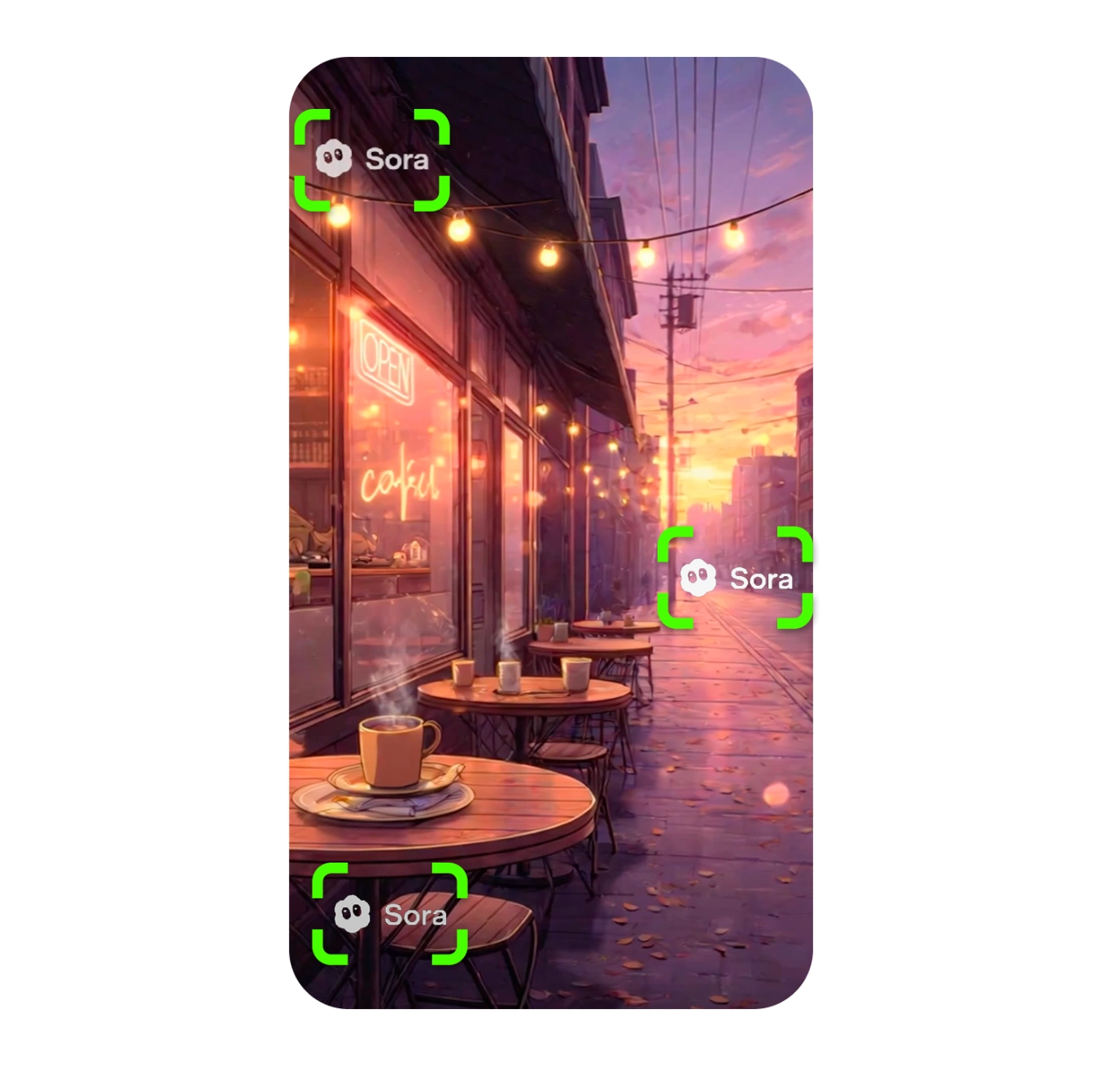
Google Flow videos are used in social media campaigns, YouTube content, client presentations, product ads, and UGC creative. The 'Veo' watermark immediately labels the content as AI-generated, which can undermine professional quality and cause ad rejections on Meta Ads and Google Ads.
Removing the Flow watermark gives you a broadcast-ready, clean output that works in any context — without anyone knowing the video was AI-generated unless you choose to disclose it.
Frequently Asked Questions
Everything you need to know about google flow watermark remover
What watermark does Google Flow add to videos?
Google Flow is powered by Google's Veo AI model. Every video exported from Flow includes the Veo watermark — a semi-transparent 'Veo' text logo that rotates between multiple positions across the video frame at regular intervals.
How do I remove the Google Flow watermark?
Export your video from Google Flow, then upload it here. Our AI automatically detects the Veo watermark pattern used by Flow and removes it frame by frame — no manual selection needed. Download the clean video in HD.
Is the Remove watermark from Google Flow video free?
Yes. The free tool supports manual mask editing and HD export with no sign-up. For automatic Veo watermark detection, batch processing of multiple Flow videos, and 4K upscaling, PRO plans start at $5.99/month.
Does removing the Flow watermark affect video quality?
No. AI reconstruction rebuilds the pixels underneath the Veo watermark instead of blurring them — the output matches your original Flow export in resolution, frame rate, and color space.
Can I batch-process multiple Flow videos?
Yes. With PRO, you can upload multiple Google Flow exports at once and process them in parallel. Useful when you generate several scene variations from the same Flow session.
Is it the same as the Veo watermark remover?
Yes. Google Flow uses Google's Veo model, so the watermark is identical. Our Veo Watermark Remover and this page use the same AI — this page is specifically optimized for creators working in Google Flow.
Remove Google Flow Watermark Now
Upload your Flow video and get a clean HD export in minutes — free, no sign-up.
Remove Watermark FreeNo sign-up required
Related Tools
Explore our complete suite of AI video tools
Free Sora Watermark Remover
FREERemove Sora and Sora watermarks from AI videos
Sora Watermark Remover PRO
PROAdvanced AI watermark removal with best quality
AI Video Prompt Generator
Structured AI video prompts for Sora 2—styles, cinematography, templates, exports
Sora Video Generator
Generate AI videos with Sora technology
Video Watermark Remover
Remove watermarks from full videos online free
Veo Watermark Remover
Remove Google Veo logos and visible Veo watermarks
TikTok Watermark Remover Online Free
Remove TikTok logos and moving watermarks without cropping
YouTube Shorts Watermark Remover
Clean YouTube logos, Shorts marks, and channel badges
Instagram Reels Watermark Remover
Remove Reels logos, usernames, and repost overlays
Sora Watermark Remover
Dedicated remover for rotating Sora watermark patterns
Kling Video Watermark Remover
Remove Kling video logos and visible watermarks
Remove Logo from Video
Remove logos, timestamps, and text overlays from video
Remove Captions from Video
Remove burned-in captions, subtitles, and text overlays
How to Remove Watermark from Video
Free guide to remove video watermarks without blur
Remove Watermark Without Blur
AI reconstruction method explained with step-by-step tips
How to Remove Sora Watermark
Guide for Sora and Sora watermark removal
How to Remove Veo Watermark
Guide for Google Veo and Flow videos
Omni Watermark Remover
Remove Omni AI video logos and watermarks
How to Remove Omni Watermark
Step-by-step guide for Omni videos
Add Watermark to Video
Overlay a logo or text watermark on any video online