How to Remove Sora Watermark
Step-by-step guide to removing the OpenAI Sora watermark from Sora 1 and Sora videos — AI-optimized, automatic detection, no blur, results in minutes.
What Is the Sora Watermark and Why Is It There?
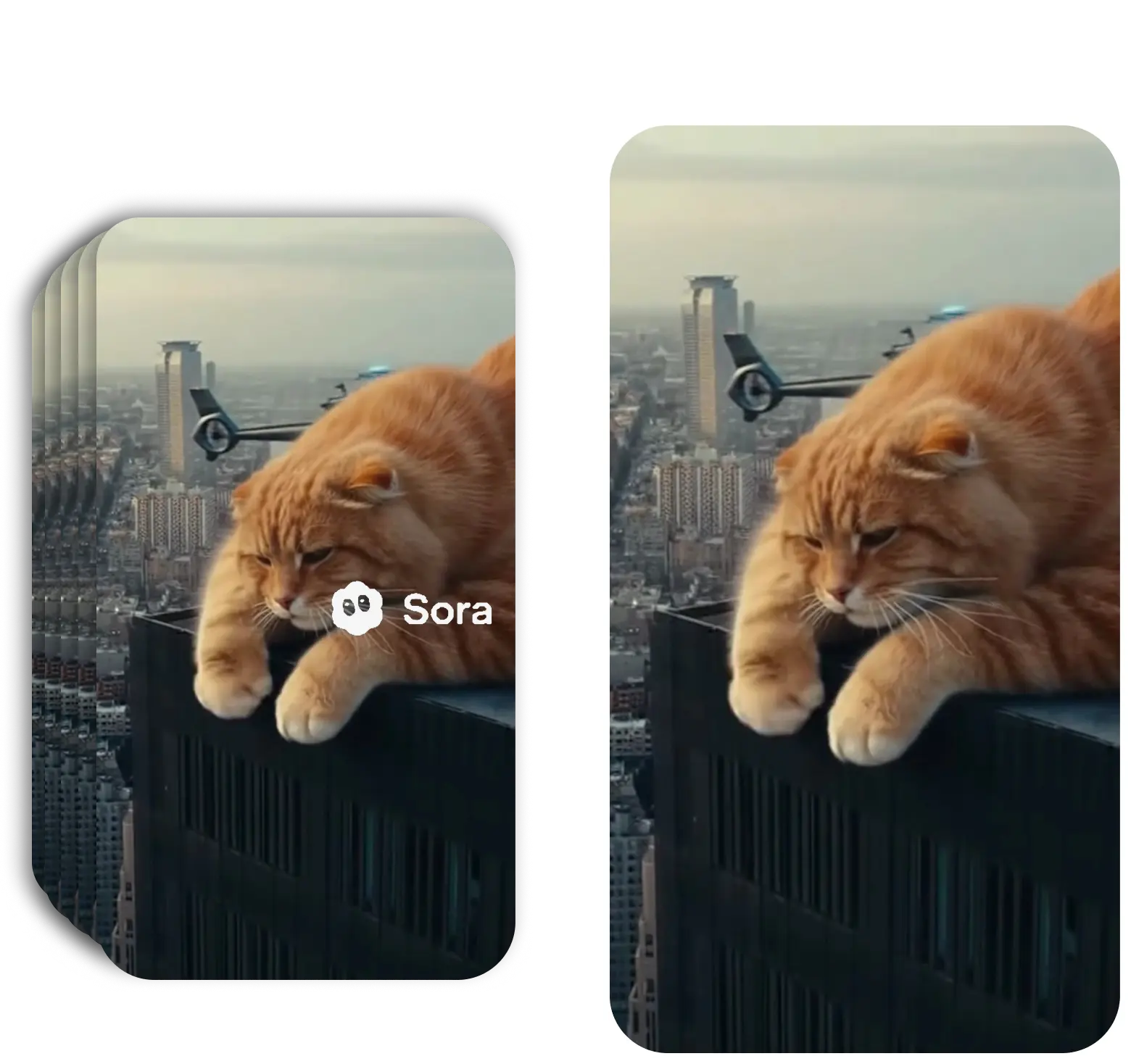
OpenAI Sora is an AI video generation model that produces photorealistic videos from text prompts. All videos generated by Sora include a branded 'Sora' watermark — a requirement OpenAI uses to clearly label AI-generated content. The watermark appears as a rotating semi-transparent text overlay that shifts between the four corners of the frame throughout the video.
The watermark is intentionally placed in multiple positions across the video to make it hard to remove by simple cropping. In a standard 10-second Sora clip, the watermark typically appears in 4 positions, changing every 2–3 seconds. Sora uses a slightly different watermark size and transition timing compared to Sora 1.
Why Do Creators Need to Remove the Sora Watermark?
The most common reason is commercial use. Sora-generated videos are used in ads, social media campaigns, UGC content, explainer videos, and client deliverables. The 'Sora' text overlay immediately identifies the video as AI-generated, which can undermine the professional quality of the final product.
Ad platforms (Meta Ads, Google Ads, LinkedIn) also have restrictions on watermarked content — a visible Sora watermark can cause ad rejections. Content creators, video editors, marketing agencies, and production studios who generate Sora videos for professional use need a clean, watermark-free output before the video can go live.
Free vs PRO Sora Watermark Remover — What's the Difference?
Both tools remove the Sora watermark, but they work in completely different ways.
Sora Watermark Remover Free
Manual tool — you draw masks over the watermark and the tool fills the area with a blur. Best for quick edits where appearance isn't critical.
Sora Watermark Remover PRO
AI-powered cloud tool — automatically detects the watermark and reconstructs the content underneath. No blur, no artifacts, professional quality.
Not sure which to choose? Use the Free tool for personal testing. f for ads, client work, or any content that needs to look professional.
How to Remove Sora Watermark — Step by Step
AI-optimized Sora watermark removal in under 3 minutes
Upload Your Sora Video
Go to sorrywatermark.com and upload your Sora or Sora video. Supports MP4, MOV, WebM. Upload a single video or multiple Sora clips for batch processing.
AI Detects the Sora Watermark
Our AI is specifically trained on Sora watermark patterns and automatically detects the 'Sora' text overlay — including all rotation positions used in Sora 1 and Sora 2.
Download Clean Sora Video
Preview your watermark-free Sora video and download. Export in original quality or upscale to 4K. Typical processing time: 1–3 minutes.
Sora 1 vs Sora Watermark — What's Different?
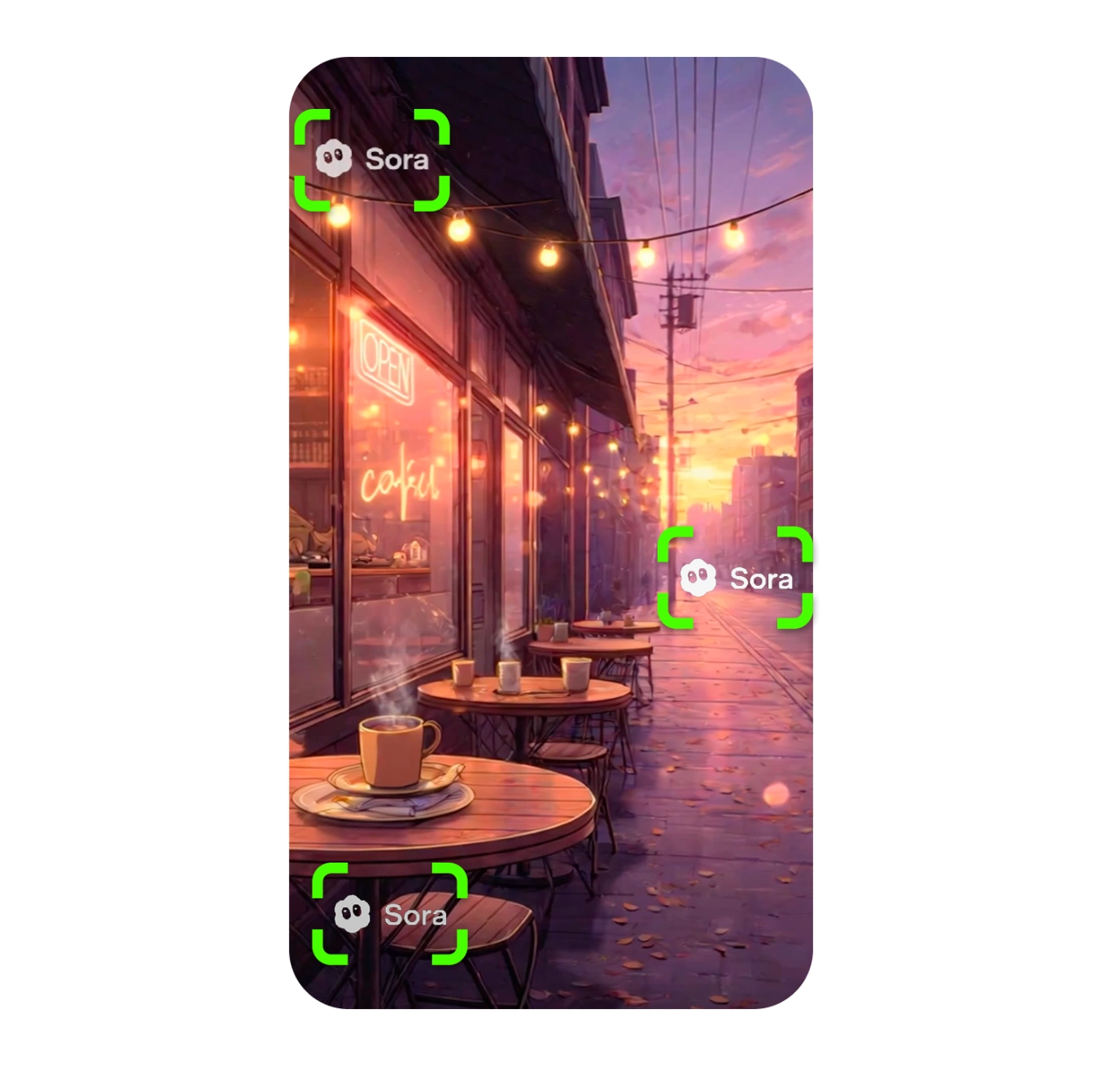
Sora 1 watermarks appear as a smaller, lower-opacity 'Sora' text that transitions between corner positions. The positioning follows a predictable pattern, making detection and reconstruction straightforward.
Sora 2 introduced a larger watermark with higher opacity and slightly different transition timing. Some Sora clips also include a 'Made with Sora' variant in addition to the standard corner marks. The AI model in SorryWatermark PRO is trained on both versions and automatically handles whichever Sora watermark variant appears in your video — no settings adjustment needed.
Remove Sora Watermarks from Multiple Videos at Once
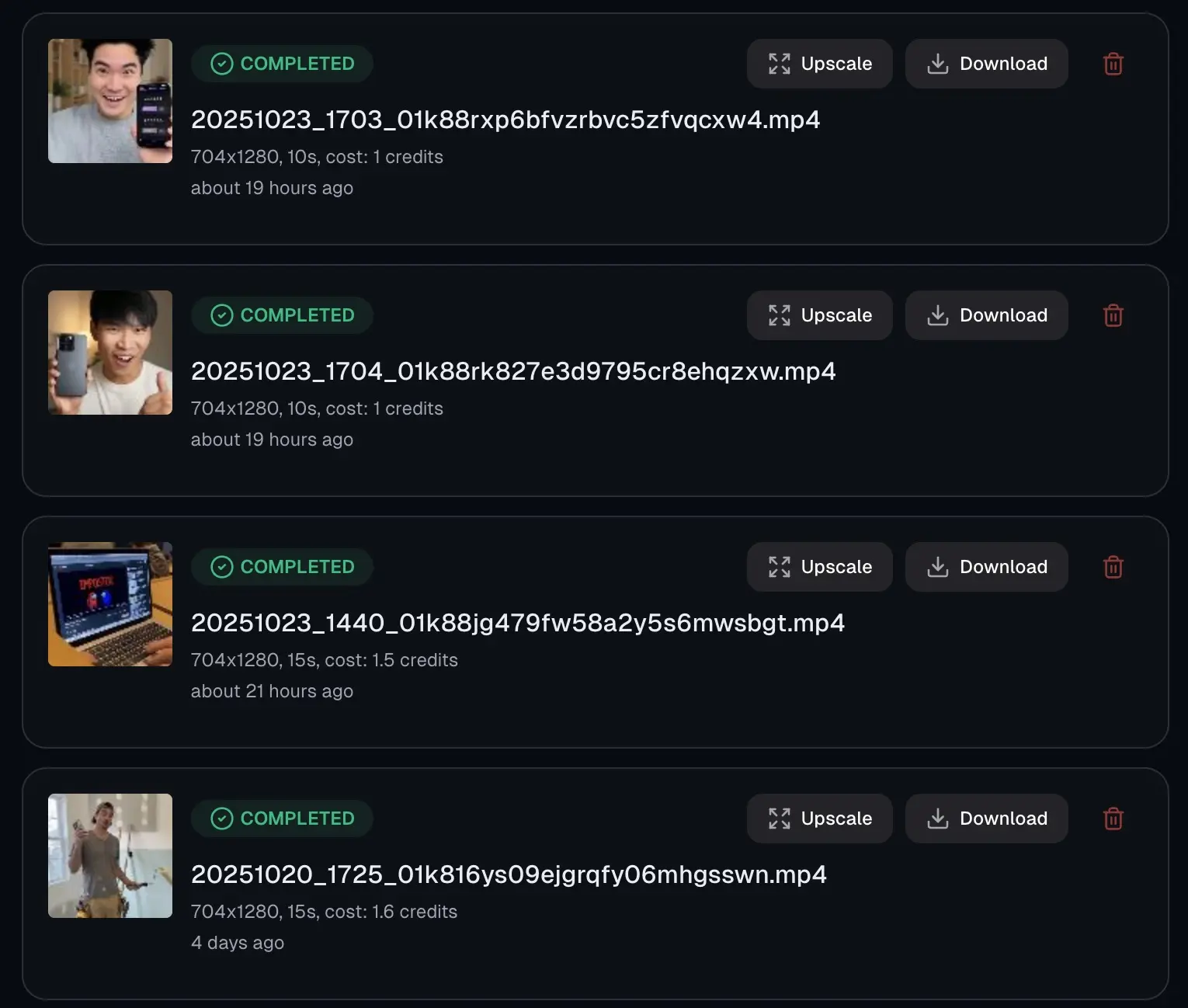
Professional use cases often involve dozens of Sora-generated clips — a product campaign, a video series, or multiple scene variations from the same prompt. Processing them one by one can take hours. Our bulk Sora watermark remover handles all your clips simultaneously.
Upload multiple Sora videos in one batch, and each is processed by a dedicated AI worker in parallel. Depending on your plan, you can batch up to 30 Sora videos at once. Every video goes through the same Sora-optimized AI reconstruction, maintaining consistent quality across the entire batch.
Frequently Asked Questions
How to remove Sora watermarks — all your questions answered
What does the Sora watermark look like?
The OpenAI Sora watermark is a 'Sora' text overlay that appears in different positions across the video frame at regular intervals. In a typical 10-second Sora video, the watermark rotates between 4 positions: top-left, top-right, bottom-left, and bottom-right corners. It's semi-transparent and moves to a new position roughly every 2–3 seconds. Sora uses slightly different positioning and opacity than Sora 1.
Is there a difference between Sora 1 and Sora watermarks?
Yes. Sora introduced changes to the watermark opacity, positioning intervals, and size. Some Sora videos also include a 'Made with Sora' variant. Our AI model handles both versions — Sora 1 and Sora watermarks are detected and removed automatically.
Can I remove the Sora watermark for free?
Yes. Our free Sora watermark remover at sorrywatermark.com/sora-watermark-remover-free lets you remove the Sora watermark using manual mask editing. The PRO plan ($5.99/month) provides the best quality with fully automatic detection, batch processing, and 4K upscaling.
Why can't I just crop the Sora watermark out?
Cropping doesn't work for the Sora watermark because it rotates between multiple positions — top-left, top-right, bottom-left, bottom-right. To crop all positions you'd need to crop all four corners, leaving only the center of the video. AI reconstruction is the only viable approach for Sora's rotating watermark.
How do I remove the Sora watermark without blur?
Use AI reconstruction instead of a blur overlay. Our tool rebuilds the content underneath each Sora watermark position frame by frame, so the result has no visible blur patch or artifact. The surrounding scene looks completely natural.
Does removing the Sora watermark reduce quality?
No. Our AI reconstruction preserves the original resolution, frame rate, bitrate, and color space of your Sora video. We avoid unnecessary re-encoding, so the output quality matches the Sora source exactly.
Can I batch-remove Sora watermarks from multiple videos?
Yes. Our bulk Sora watermark remover lets you upload multiple Sora videos at once. All clips are processed in parallel, so a batch of 10 Sora videos processes in roughly the same time as one.
Does it violate OpenAI's terms to remove Sora watermarks?
OpenAI's terms allow you to use Sora-generated content commercially if you generated it yourself. Removing the watermark from your own Sora videos for commercial use in marketing, social media, or client projects is generally permissible — but always check the latest OpenAI usage policies for updates.
Remove Sora Watermark Now
AI-optimized Sora watermark removal — works on Sora 1 and Sora 2. No blur, no quality loss, results in minutes.
Remove Sora WatermarkLast updated: 7/16/2026 •✓ Supports Sora 1 & Sora 2 • ✓ No blur method • ✓ Auto detection
Related Tools
Explore our complete suite of AI video tools
Free Sora Watermark Remover
FREERemove Sora and Sora watermarks from AI videos
Sora Watermark Remover PRO
PROAdvanced AI watermark removal with best quality
AI Video Prompt Generator
Structured AI video prompts for Sora 2—styles, cinematography, templates, exports
Sora Video Generator
Generate AI videos with Sora technology
Video Watermark Remover
Remove watermarks from full videos online free
Veo Watermark Remover
Remove Google Veo logos and visible Veo watermarks
TikTok Watermark Remover Online Free
Remove TikTok logos and moving watermarks without cropping
YouTube Shorts Watermark Remover
Clean YouTube logos, Shorts marks, and channel badges
Instagram Reels Watermark Remover
Remove Reels logos, usernames, and repost overlays
Sora Watermark Remover
Dedicated remover for rotating Sora watermark patterns
Kling Video Watermark Remover
Remove Kling video logos and visible watermarks
Remove Logo from Video
Remove logos, timestamps, and text overlays from video
Remove Captions from Video
Remove burned-in captions, subtitles, and text overlays
How to Remove Watermark from Video
Free guide to remove video watermarks without blur
Remove Watermark Without Blur
AI reconstruction method explained with step-by-step tips
How to Remove Veo Watermark
Guide for Google Veo and Flow videos
Omni Watermark Remover
Remove Omni AI video logos and watermarks
How to Remove Omni Watermark
Step-by-step guide for Omni videos
Add Watermark to Video
Overlay a logo or text watermark on any video online